

 Shopify blog

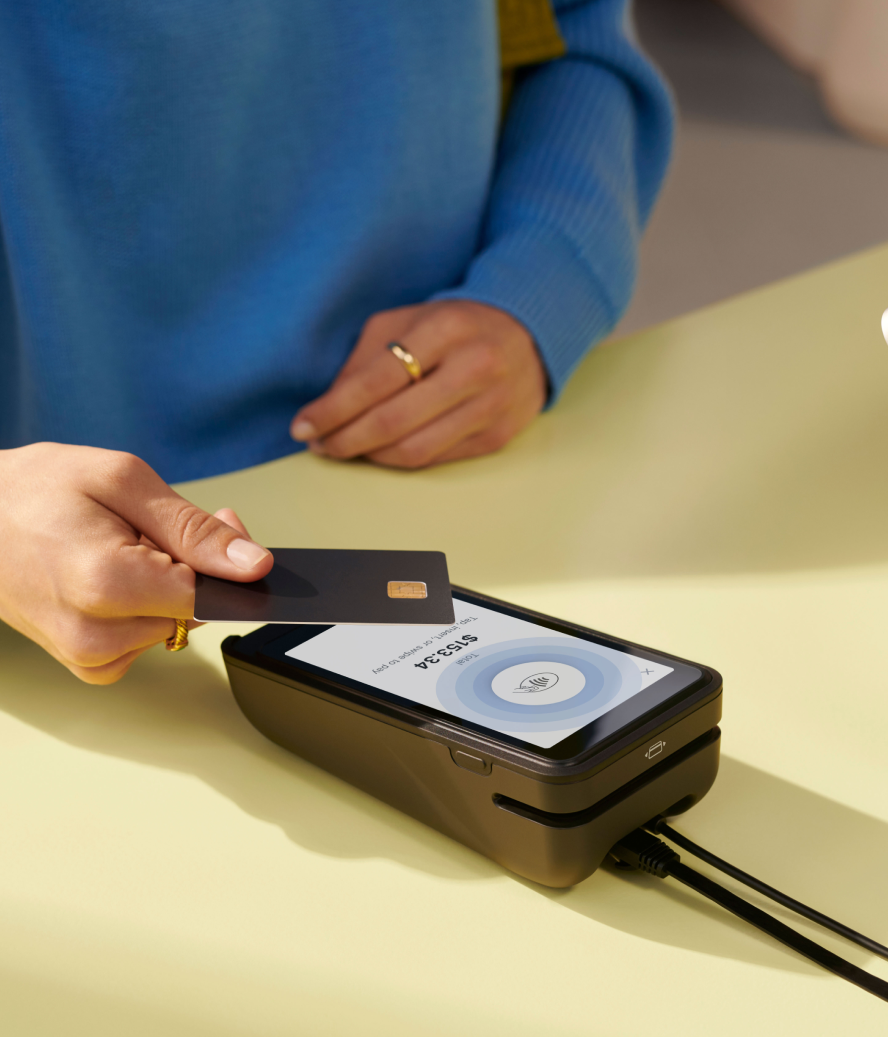

POS security refers to the measures retailers use to protect their point-of-sale checkout systems and payment data. It applies to POS hardware, software, staff accounts, and the network carrying each transaction.
Store owners face threats across the entire POS environment. Verizon’s 2025 Data Breach Investigations Report analyzed 22,052 security incidents, including 12,195 confirmed data breaches—the highest number in the report’s history. A stolen password or unpatched device may expose customer data and stop a store from processing sales.
This guide covers how POS attacks occur and how retailers protect their systems.
What is point-of-sale (POS) security?
Point-of-sale (POS) security covers the systems and data used to process retail transactions, including:
- POS terminals and card readers
- POS software and operating systems
- Store networks and connected devices
- Employee and administrator accounts
- Payment and customer data
- Payment processor integrations
Retailers use several controls together to protect the environment:
- Network segmentation keeps checkout systems separate from other store technology.
- Encryption protects payment data during transmission.
- Access controls restrict system use.
- Software updates and anti-malware tools address known threats.
- Monitoring helps identify suspicious activity.
If attackers bypass one safeguard, the remaining controls restrict what they can access. These protections reduce the risk of stolen data, interrupted sales, recovery costs, and regulatory penalties.
Why POS security matters for retailers
The POS system runs the entire retail operation. It updates inventory, handles returns, and gives employees access to customer accounts. Real-time POS data is also necessary to manage loyalty programs and review store performance.
When the system goes offline, employees lose access to these capabilities and have to use backup processes. Each type of attack creates a different problem:
- Stolen credentials let attackers enter staff accounts and use the permissions assigned to them.
- Malware can capture card data during checkout.
- Ransomware can block access to registers, inventory records, and order information.
The disruption is costly and can lead to lost sales and regulatory penalties. IBM’s 2025 Cost of a Data Breach Report found that the average cost of a US data breach rose 9%, to $10.22 million. The global average decreased 9%, to $4.44 million. POS security limits access to retail systems and reduces the amount of customer and payment data exposed during an attack.
How does POS security work?
POS security combines controls that:
- Limit access to sensitive data
- Protect transaction systems
- Detect suspicious activity
- Guide staff through incident response
These controls apply to POS devices, software, staff accounts, store networks, and payment data.
Hardware and software integrity
Use hardware supplied or approved by your POS provider, and restrict software installation to authorized administrators. Have staff check devices regularly for damage or signs of tampering.
POS software and operating systems also need regular updates. Updates fix known security problems. Only authorized employees should be able to install apps or change device settings.
Shopify’s POS security guidance recommends enabling automatic screen locks, device tracking, and remote wiping. Retailers can also log out or remove a lost device through Shopify admin.
Data protection measures
Encryption converts payment information into an unreadable format during storage or transmission. Only a system with the correct key can restore the original data.
Tokenization replaces payment information with a separate identifier. The POS system uses the token during future transactions, while the card number remains outside the retailer’s system.
Restrict access to stored customer information and delete data that has no business or legal purpose. Encrypt POS backups and limit access to authorized employees.
Authentication and access control
Authentication verifies a user’s identity. A password, PIN, security key, or verification code serves this purpose. Access control decides which data that person can view and which actions they can perform after signing in.
Use the following guidelines to improve POS security:
- Require unique administrator accounts and strong passwords.
- Add multifactor authentication to administrator and remote-access accounts.
- Give each employee a staff PIN.
Shopify POS includes individual staff PINs. Shopify POS Pro lets you add custom staff roles, permissions, and manager approvals.
These settings let retailers restrict sensitive actions such as changing taxes or applying discounts. Remove access promptly when an employee leaves or changes roles.
Network security and POS monitoring
Separating POS devices from guest Wi-Fi and unrelated store systems limits the routes into the payment environment. Use firewall rules to restrict traffic to services required for sales and administration. Change default router credentials and install network equipment updates.
Monitoring shows how employees and customers are using the POS system. Alerts can identify repeated login failures, newly added devices, or unusual transaction activity. A review of refunds, voids, and discounts may reveal activity that falls outside normal store patterns.
Shopify POS reports include sales by staff member and total sales by POS location. They give stores a record of who completed each transaction and where it occurred.
Regulatory compliance
The Payment Card Industry Data Security Standard (PCI DSS) sets requirements for businesses that store, process, or transmit payment card data. It provides a baseline for handling that data securely.
PCI DSS does not cover the entire POS environment. Store owners still have to secure their devices, staff accounts, networks, and third-party tools.
Employee training
Train employees before granting POS access. Cover secure password and PIN practices, phishing attempts, device tampering, and requests to install unauthorized software. Staff also need clear instructions for handling customer information.
Give employees a defined process for reporting a lost device, suspicious login, unusual transaction, or possible breach. Repeat cybersecurity training for employees when systems or security procedures change.
Common POS security threats
POS security threats come from many different areas:
- Outdated software
- POS malware
- Physical tampering and skimming
- Network threats
- PCI DSS non-compliance
- Phishing attacks
- Insider threats and internal fraud
- Third-party and vendor access
Outdated software
Old POS software contains flaws that attackers already know how to exploit.
Verizon’s 2026 Data Breach Investigations Report found that 31% of breaches began with the exploitation of software vulnerabilities. Install operating system and POS software updates promptly.
POS malware
POS malware can steal payment data from a device’s memory or give attackers control of the system.
Verizon’s 2026 retail report covered 806 confirmed retail breaches and found that ransomware was the most common malware action. Restrict software installation and keep malware protection active.
Physical tampering and skimming
Criminals can attach skimmers to card readers to capture payment information. Inspect each reader for loose parts, broken seals, or unfamiliar attachments. Secure POS devices to the counter and lock them away when they are not in use.
Network threats
Attackers may use an unsecured network to reach POS devices or intercept unencrypted payment data. Keep POS traffic separate from guest Wi-Fi, secure every wireless network, and disable unused remote-access tools.
PCI DSS non-compliance
PCI DSS sets security requirements for businesses that store, process, or transmit cardholder data. Missing these requirements may leave payment data exposed.
Complete the correct compliance assessment and confirm that payment providers maintain current PCI DSS compliance.
Phishing attacks
Phishing emails and text messages trick employees into sharing credentials or installing malware.
Require multifactor authentication for accounts that access POS or payment tools. Train staff to verify support requests and report suspicious messages.
Insider threats and internal fraud
Employees can misuse POS access by issuing unauthorized refunds or applying discounts for friends.
Excessive permissions and shared credentials make internal fraud harder to trace. Give each employee a unique account, restrict permissions by role, and review refund and discount reports.
Read: What Is Fraud Prevention? Strategies and Tools
Third-party and vendor access
POS providers, payment processors, contractors, and integration partners may have remote access to payment systems. Review each provider’s permissions and PCI DSS status before granting access. Limit support sessions, remove unused integrations, and confirm that vendors install security updates.
9 POS security measures for retailers
Store owners have to secure their POS system and control who can use it. These nine measures address the main security risks at checkout:
- Update and regularly patch POS software
- Use antivirus software
- Require multifactor authentication
- Encrypt and tokenize payment data
- Keep POS networks separate and secure
- Use payment devices and POS software that follow PCI standards
- Train retail employees
- Control POS staff roles and permissions
- Monitor POS activity and protect devices
Update and regularly patch POS software
Install updates for the POS app and the device’s operating system as soon as they are available. The Federal Trade Commission advises businesses to set an update schedule and turn on automatic updates. Replace any device or app that no longer receives security patches.
Use antivirus software
Install endpoint protection on each compatible POS device. It can identify known malware and flag suspicious behavior, but it does not protect against stolen passwords or physical skimmers. Pair it with software updates and monitoring for unusual activity.
Require multifactor authentication
Require multifactor authentication for administrator accounts and remote access to the POS system. MFA asks for a second proof of identity, such as a code from an authenticator app, after the password. Each user also needs a strong, unique password that is never shared or reused.
Encrypt and tokenize payment data
Use a payment system that encrypts card data from the reader to the payment processor. Tokenization replaces the card number with a token, which limits where the original number is stored or used. These controls protect payment data, but they do not prevent every form of fraud.
Keep POS networks separate and secure
Place POS devices on a network separate from guest Wi-Fi and employee personal devices. Use WPA2 or WPA3 security, change the router’s default password, and install router updates. Never jailbreak or root a mobile POS device because those changes weaken its built-in security.
Use payment devices and POS software that follow PCI standards
PCI DSS applies to businesses that accept card payments. Before buying, check the PCI Security Standards Council’s product listings for approved payment terminals and validated payment software.
Ask the provider for current proof of PCI compliance and a clear list of the security tasks your business still handles.
Train retail employees
Include payment security in onboarding and regular staff training, as required by PCI DSS security-awareness rules.
Teach employees to inspect card readers and follow the approved refund and return process. Give them a clear contact for reporting suspicious messages, altered devices, or unusual transactions.
Control POS staff roles and permissions
Give every employee a unique POS PIN and do not allow shared logins. Reserve refunds, large discounts, and settings changes for authorized roles. Shopify offers staff PINs as a standard POS feature, while manager approvals and custom staff roles are marked as POS Pro features.
Monitor POS activity and protect devices
Review POS reports for unusual refunds, repeated voids, or large discounts. Inspect card readers for skimmers at opening and after any repair or service visit.
Secure devices to the counter or lock them away after hours. Camera footage and POS records can help investigate suspected theft or fraud.
How to choose a secure POS system or provider
Choose a POS provider that documents its security controls and the retailer’s responsibilities. Use this checklist before signing a contract or installing new devices.
- Check PCI validation. Search the PCI Security Standards Council’s listings for approved payment terminals and validated software. Ask the provider for a current Attestation of Compliance showing its PCI DSS status.
- Confirm how card data is protected. Check whether the provider encrypts card data from the reader to the payment processor. Understand whether it uses tokens for stored payment references.
- Review login and staff controls. Look for MFA on administrator and remote-access accounts. Confirm that each employee receives unique login credentials and that managers can restrict sensitive actions.
- Check the update policy. Find out which security updates install automatically and how long each device receives patches. Ask how the provider handles end-of-support notices.
- Limit provider access. Remote support access must be restricted and recorded. Confirm that vendor accounts and unused integrations can be removed promptly.
- Review transaction records. The POS system must show which staff account completed or approved a refund. Check whether reports also identify unusual voids or discounts.
- Ask about incident response. Find out who handles a compromised device and how quickly the provider responds. Review its breach notification terms and confirm that records remain available for an investigation.
Shopify POS is one provider that offers payment and staff-access controls. Its card readers meet PCI and EMV standards and encrypt customer data. Store owners can assign unique staff PINs, with manager approvals and custom roles available through POS Pro.
What to do if your POS system is breached
If you suspect your POS system has been breached, take immediate action. Follow this incident response plan and record every step.
1. Contain the breach and preserve evidence
Stop using affected POS devices and isolate them from the network. Do not turn them off, reset them, install updates, or delete files unless the forensic team instructs you to do so. Preserve system logs and document every action taken. The PCI Security Standards Council explains that altering a compromised system can destroy evidence.
2. Contact the relevant providers
Notify your POS provider and payment processor immediately. Your acquiring bank or card brand may require an investigation by a PCI Forensic Investigator. Give investigators access to any third-party systems involved in the breach.
3. Determine the scope
Identify the affected devices and accounts. Establish when the unauthorized access began and ended. Determine what data was exposed and how many people may be affected.
4. Review access and fix the security gap
After evidence has been preserved, revoke unneeded accounts and reset compromised credentials from a clean device. Review staff permissions and vendor access. Patch the vulnerability or replace affected hardware before processing payments again.
5. Check notification requirements
Consult legal counsel to determine which state or federal breach laws apply. Payment contracts may require separate notices to your processor, acquiring bank, or card brands. The FTC’s data breach response guide also covers notifications to law enforcement and affected individuals.
6. Monitor and recover
Return to normal payment processing only after investigators confirm that the breach has been contained. Monitor account logins and POS activity for further unauthorized access. Review refunds and chargebacks, then update the incident response plan based on what happened.
Read: How To Improve Ecommerce Security for Your Online Store
Legal disclaimer: This information is general and is not legal advice. Breach duties vary by location and by the type of data exposed. Consult qualified legal counsel and your payment partners about a specific incident.
POS security FAQ
What are the most important POS security measures?
The most important POS security measures are timely software updates and MFA for sensitive accounts. Store owners also need encrypted payments, a separate POS network, and role-based staff access. Device checks and transaction reviews help detect skimmers and internal fraud.
Can your POS be hacked?
Yes, POS systems can be hacked if appropriate security measures are not in place. Cybercriminals often target these systems to steal sensitive customer data like credit card information.
Does PCI DSS compliance make a POS system secure?
Yes, compliance with PCI DSS is crucial for POS security. It sets the minimum security standards for cardholder data, helping protect against data breaches and other cyber threats.
How can businesses educate their employees about POS security risks?
Businesses can educate their employees about POS security risks through regular training sessions, updating them on new threats and teaching them best practices for safeguarding the POS system.

