

 Shopify blog


Card-not-present (CNP) payments let customers buy online or over the phone, when and where it suits them.
In its 2025 study, PULSE found that nearly half of debit spending came from CNP transactions, which carry a higher fraud risk. A customer entering valid card details might not be the person authorized to use them. LexisNexis Risk Solutions’ 2026 True Cost of Fraud Study found that retail and ecommerce companies in both the US and Canada incur more than $5 in total costs for every $1 of direct fraud loss.
This guide explains how CNP transactions work, which purchases qualify as CNP, and how to process payments and reduce the risk of fraud and chargebacks in your store.
What is a card-not-present (CNP) transaction?
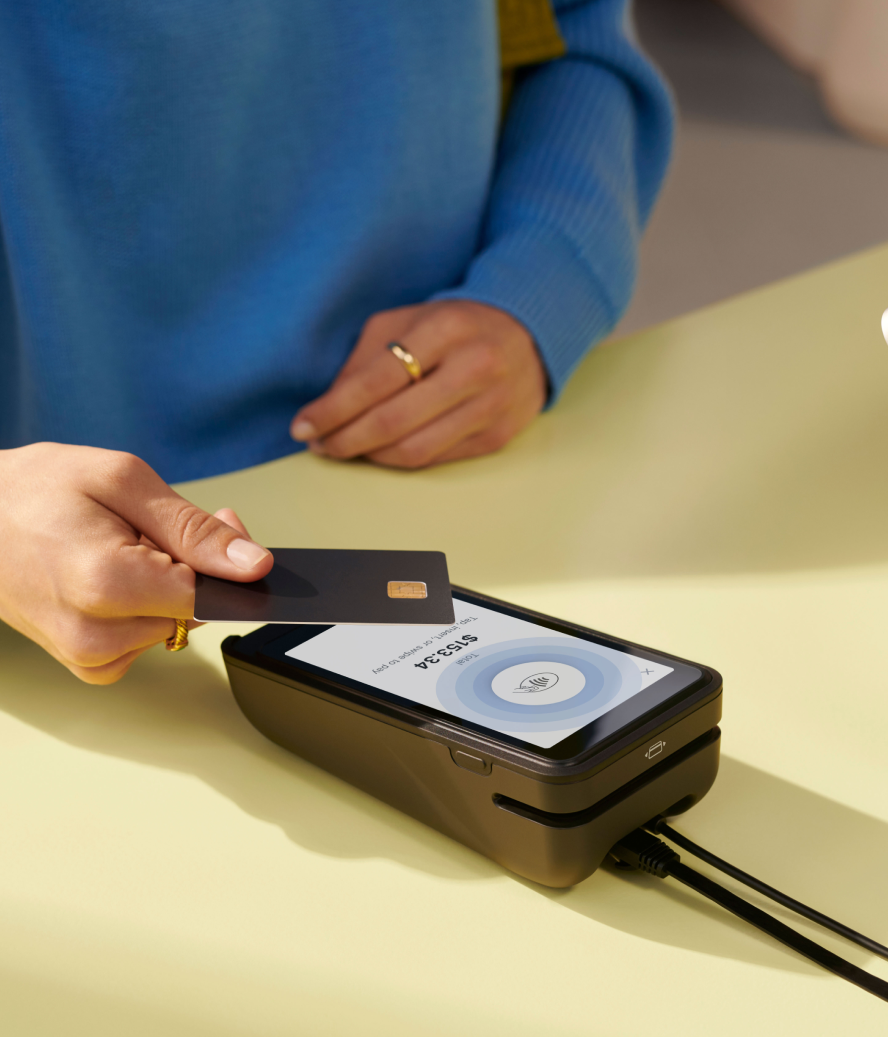
A card-not-present (CNP) transaction happens when a payment card isn’t electronically read at checkout. The card’s magnetic stripe isn’t swiped, its chip isn’t inserted into a reader, and it isn’t tapped for contactless payment. The term applies to both credit and debit cards.
CNP transactions happen remotely, through online shopping, phone orders, or mail orders. Manually entering card details also counts as a CNP transaction, even when the customer and their card are in the store.
Examples of card-not-present transactions
Examples of CNP transactions are:
- Online orders. A customer adds products to an online shopping cart and selects one of the store’s online payment methods. If they pay by card or a card-funded digital wallet, the transaction is CNP.
- Buy online, pickup in-store (BOPIS). A customer orders and pays online, then collects their purchase in-store. That payment is CNP. The same customer can make an add-on purchase at pickup and tap their card to pay, which is a separate, card-present transaction.
- Phone orders. A customer places an order over the phone and gives their card details to a sales agent, who processes the payment. Payment providers classify these as mail order/telephone order (MOTO) transactions.
- Mail orders. A customer sends an order form with their card details by post, such as when buying from a printed product catalog. These are also MOTO transactions.
- Recurring payments. A customer authorizes recurring payments for a subscription, membership, or bill. Their payment provider charges the stored card details automatically when each payment is due.
- Invoice payments. A customer pays an invoice you’ve sent by entering their card details through an online payment system.
- Card-on-file payments. A customer authorizes the store to save their payment details through its provider for future card-on-file transactions, such as one-click repeat purchases.
Customers can use mobile wallets for both CNP and card-present payments. Paying online with a card through Apple Pay is CNP, and tapping Apple Pay at a store terminal is card-present.
For Shopify merchants, Shop Pay is an accelerated checkout that uses saved payment and shipping details. It’s included with Shopify Payments, which processes those transactions at your Shopify Payments rates.
Card-present vs. card-not-present transactions
How you collect card details changes payment verification, processing fees, and responsibility for fraud losses. The table below shows the difference between card-present and card-not-present transactions.
| Card-present transactions | Card-not-present transactions | |
|---|---|---|
| Payment capture | Customers swipe, insert, or tap a card, or tap a digital wallet at a terminal. | Customers enter card details online, use saved credentials, or provide details for manual entry. |
| Verification | Chip and contactless payments generate transaction-specific security data. PIN or device authentication adds verification when used. | No terminal reads the card’s chip. Merchants rely on checks such as billing address, security code, and customer authentication. |
| Fraud risk | Generally lower with chip or contactless payments. Stolen-card fraud is still possible. | Generally higher because stolen card details can be used remotely. |
| Fees | Typically lower processing rates. | Typically higher rates, with separate pricing possible for manually entered payments. |
| Fraud liability | Correctly processed EMV payments generally protect merchants against counterfeit-card fraud liability. | Merchants generally bear fraud losses. Eligible 3D Secure authentication can shift that liability to the issuer. |
CNP payments give fraudsters a way to spend using stolen details alone. Europay, Mastercard, and Visa (EMV) chips made counterfeiting harder in many countries, prompting criminals to target remote purchases. The Kansas City Fed’s research found a more gradual increase in US CNP debit fraud, rather than an immediate surge after chip adoption.
Its 2026 analysis found that merchants’ CNP fraud loss rate more than doubled, from 5.4 basis points in 2021 to 12.8 in 2023, for non-prepaid debit cards processed through single-message networks.
Merchant rates for CNP transactions
Card processing costs combine interchange, card-network fees, and the processor’s charges. Many providers often bundle these into a percentage of the sale plus a fixed fee per transaction.
CNP rates generally reflect greater fraud risk. Your rate also depends on your provider, plan, country, and card type. Check your Shopify Payments rates for online and manually entered payments.
For example, Sukhmani Designs previously keyed in card numbers during home consultations and paid higher processing fees. Using Tap to Pay through Shopify POS lets the team accept card-present payments at clients’ homes.
“I love that I can access Shopify POS anywhere and process payments right at clients’ homes without worrying about paying extra fees,” says Owner Sat Gurumukh Khalsa.
How a card-not-present transaction is processed
If you already use Shopify Payments to accept credit card payments, you don’t need a separate merchant account to take remote orders.
Shopify Payments is available to eligible businesses in the US, Canada, the UK, Australia, and other supported countries. Eligibility depends on your business location, category, and verification documents. Each country also has bank account requirements. Availability for in-person payments differs from online availability.
Payment gateways and payment processors do different jobs. The gateway sends payment data from the checkout. The processor routes the transaction among the merchant, card network, and banks.
Necessary customer information
For a customer entering a card at checkout, your payment provider collects:
- Cardholder name, as it appears on the card
- Card number and expiration date
- Card security code, also called a CVV or CVC
- Billing address, for address verification where available
You’ll also need a shipping address for deliveries and an email address or phone number for order communications. The exact fields depend on the payment method and your checkout settings. Saved cards and digital wallets reduce what customers need to enter again.
Collect payment details through your provider’s secure checkout. Card security codes must not be stored after authorization, including for recurring payments.
The authorization and settlement process
- The customer submits payment. They enter their details at checkout or use a saved payment method. For a phone or email order, create a draft in Shopify admin > Orders > Drafts > Create order. Add the products and customer, then select Send invoice in the Payments section. Review and send the invoice with its checkout link so the customer can pay.
- The card issuer authorizes or declines the payment. Your provider sends the payment request through the card network to the issuing bank. The issuer checks the card, available funds or credit, and fraud signals. Authorization reserves the amount; money hasn’t reached your business yet.
- The payment is captured. Your system submits the approved charge for collection. Capture can be automatic or manual, depending on the order and your settings. You must collect manually captured payments before the authorization expires.
- The transaction clears and settles. Financial institutions exchange transaction details and transfer funds through the card network. The issuer, card network, and acquirer each deduct fees as part of payment processing.
- You receive a payout. Shopify Payments sends eligible funds to your payout account. Payout timing depends on your country, payout schedule, and bank processing time.
Card-not-present fraud
Card-not-present fraud happens when someone uses stolen payment card details to make an unauthorized purchase remotely. For example, a criminal can steal card details through a phishing message, then use them at an online checkout.
Ecommerce fraud losses are growing worldwide. Juniper Research forecasts that fraudulent ecommerce transactions worldwide will reach $131 billion in 2030, up from an estimated $56 billion in 2025.
Card testing
Criminals can also test stolen credentials to find out which cards still work. Card testing ranked among the five most common fraud types experienced by online merchants in the Merchant Risk Council (MRC)’s 2025 global report. Repeated payment attempts or small purchases can precede larger fraudulent orders.
Card-not-present chargeback fraud
A chargeback reverses a card payment after a customer disputes it with their issuing bank. Chargeback fraud happens when someone abuses this process.
For example, falsely claiming that an order they received never arrived is chargeback fraud. Customers also have legitimate reasons to dispute payments, including unauthorized charges and undelivered purchases.
Chargeback abuse is a form of first-party misuse, often called friendly fraud. In the MRC’s 2026 global report, 64% of merchants said first-party misuse was increasing. One-quarter reported increases of at least 25%.
US federal rules protect credit cardholders when something goes wrong:
- Unauthorized use. 12 CFR §1026.12 generally caps a consumer cardholder’s liability at $50, subject to the regulation’s conditions. This limit applies to the cardholder’s liability, not the merchant’s losses.
- Billing errors. Under 12 CFR §1026.13, the issuer must receive written notice within 60 days after sending the first statement showing the error. It must resolve the matter within two complete billing cycles after receiving notice, and no later than 90 days. Merchant response deadlines follow a separate process.
Common chargeback and inquiry reasons are:
- Fraudulent or unauthorized payment
- Unrecognized merchant name or charge
- Duplicate charge
- Subscription charged after cancellation
- Product not received
- Product damaged, defective, or not as described
- Refund or credit not processed
- General disputes outside those categories
For phone and invoice orders, document the customer’s approval of the purchase amount, items, and payment terms. Retain the itemized invoice, written confirmation, transaction reference, and delivery evidence.
A secure invoice checkout link lets the customer submit their own payment details. Keep full card numbers and security codes out of ordinary order notes and email correspondence.
Shopify Protect covers fraudulent and unrecognized chargebacks on eligible, protected Shop Pay orders, including the disputed amount and chargeback fee. It’s free for eligible US merchants with a US Shopify Payments account. Orders must meet the physical-goods, fulfillment, and tracking conditions. Check each order’s protection status.
Preventing card-not-present fraud and chargeback fraud
Use the following ecommerce fraud prevention strategies to reduce CNP fraud and chargeback risk:
- Follow PCI DSS requirements. The Payment Card Industry Data Security Standard sets (PCI DSS) security requirements for organizations that store, process, or transmit card data. Shopify is Level 1 PCI DSS compliant, but stores still have responsibilities for their own payment practices. For phone orders, train staff to enter details directly into an approved payment interface. Restrict access to any paper forms, devices, or recordings containing card data, and confirm your compliance obligations with your payment provider.
- Check billing addresses with AVS. An address verification service (AVS) compares the numeric parts of the billing address and postal code with the issuer’s records, where available. Investigate mismatches alongside other order details.
- Validate card security codes. A CVV or CVC check confirms whether the submitted code matches the issuer’s records. It doesn’t prove the customer physically holds the card, because criminals can steal the code too.
- Use 3D Secure authentication. This strong customer authentication method gives the issuing bank another way to verify the customer, such as a one-time passcode. With Shopify Payments, 3D Secure runs automatically to comply with regional authentication laws or when high-risk indicators prompt the customer’s bank to require verification. Eligible authenticated transactions also shift fraud liability to the card issuer.
- Tokenize stored payment details. Payment tokenization substitutes a token for the card number used in saved-payment workflows. Shopify manages tokenization for its stored payment credentials at the platform level. In the MRC’s 2026 report, 72% of merchants used at least one form of payment tokenization.
- Review Shopify’s fraud analysis. For eligible online card orders, built-in fraud analysis displays indicators such as AVS and CVV results, IP address information, and attempts to use multiple cards. Stores on Shopify Payments (or the Grow plan or higher) also receive fraud risk recommendations. Open the order’s Order risk section and investigate suspicious purchases before fulfillment.
- Use a recognizable billing statement name. Set the statement descriptor to your store name or domain. Send a receipt when payment succeeds so customers can match the charge to their purchase.
- Publish return and cancellation policies. Explain how customers can request a refund, return an item, or cancel a subscription. Make your contact details easy to find, respond promptly, and send shipping updates when an order is delayed.
Apply these checks to the way each order arrives:
| Payment channel | What to check |
|---|---|
| Online checkout | Watch for repeated failed payments or multiple cards used for the same order. Review fraud alerts before shipping. |
| Phone and mail orders | Confirm the order amount and customer authorization. Offer a secure invoice link where possible, and control access to any card details staff receive. |
| Keyed-entry payments | Treat manually entered details as CNP, even with the customer in-store. Use a chip or contactless payment when available, and investigate failed verification checks before completing the sale. |
Accept card-not-present transactions with confidence
CNP transactions use remotely submitted or manually entered card details. They let customers buy online, by phone, or through an invoice, but typically carry higher processing fees and fraud risk than card-present payments.
Use address and security-code checks, 3D Secure, and tokenized payment storage. Keep authorization and delivery records. Treat fraud prevention as an ongoing process: review suspicious orders before fulfillment, track chargeback reasons, and adjust your checks as fraud patterns change.
Shopify Payments protects CNP orders with built-in fraud analysis, automatic 3D Secure, and tokenized card storage, with Shopify Protect covering eligible Shop Pay purchases. Shopify POS lets you manage in-person and online sales in one place. Review your current payment settings and recent disputes to identify the next change your store needs.
Read more
- Payment Tokenization Explained: The End-to-End Process Of Safeguarding Digital Payments
- What Is a Third-Party Payment Processor and How Does It Work?
- Merchant Services: Everything Retailers Need To Know
- Everything You Need to Know About Mobile Payments as a Retailer
- EMV Chip Cards are Coming to the U.S. (Here's What Merchants Need to Know)
- What is EMV and Why Should Merchants Use It?
- What is a Chip and PIN Machine and How Does it Work?
- What is a Shop Till? (+ How to Use One in Your Retail Store)
Card-not-present transaction FAQ
What does card-not-present transaction mean on 1099-K?
On Form 1099-K, card-not-present transactions are the gross payments in box 1b where the card wasn’t physically read, or its number was keyed into a terminal. The IRS says this usually covers online, phone, and catalog sales. The amount is already included in box 1a.
What is an example of a card-not-present transaction?
An online order paid by card is a card-not-present transaction. The customer enters their card details at checkout, and the merchant’s payment terminal never reads the physical card. Phone orders, invoice payments, and manually entered card payments are other examples.
Why does a statement say “credit card not present during this transaction”?
A “credit card not present” note means the payment was processed without anyone swiping, inserting, or tapping the physical card. This happens with online and phone orders. It can also appear when a merchant manually enters the card number, even if the customer is present. Contact the card issuer if you don’t recognize the charge.
What is the difference between card-present and card-not-present rates?
Card-present transactions typically have lower processing rates because a terminal reads the card and supplies stronger verification data. Card-not-present rates are usually higher because remote and manually entered payments carry greater fraud risk. Exact rates depend on the payment provider, pricing plan, card type, and country.
Is Apple Pay considered card-not-present?
Apple Pay can be card-present or card-not-present depending on where the customer pays. If they use Apple Pay through an online checkout, it’s a card-not-present transaction. If they use Apple Pay by tapping a supported card reader in a physical store, it’s a card-present transaction. Both methods tokenize the customer’s card details.

